> For the complete documentation index, see [llms.txt](https://knowledgebase.fabricdata.com/fabric-knowledge-base/llms.txt). Markdown versions of documentation pages are available by appending `.md` to page URLs; this page is available as [Markdown](https://knowledgebase.fabricdata.com/fabric-knowledge-base/learn-the-application/destinations/task-manager/core-functionality/user-interface.md).

# User Interface

The Task Manager user interface offers a user-friendly and intuitive experience to efficiently manage tickets and records. It aims to optimize the ticket management process, empowering users to navigate through tickets, apply filters, and perform bulk updates with ease and efficiency. Here is a brief overview of its key features:

## 🧭 Accessible Navigation <a href="#accessible-navigation" id="accessible-navigation"></a>

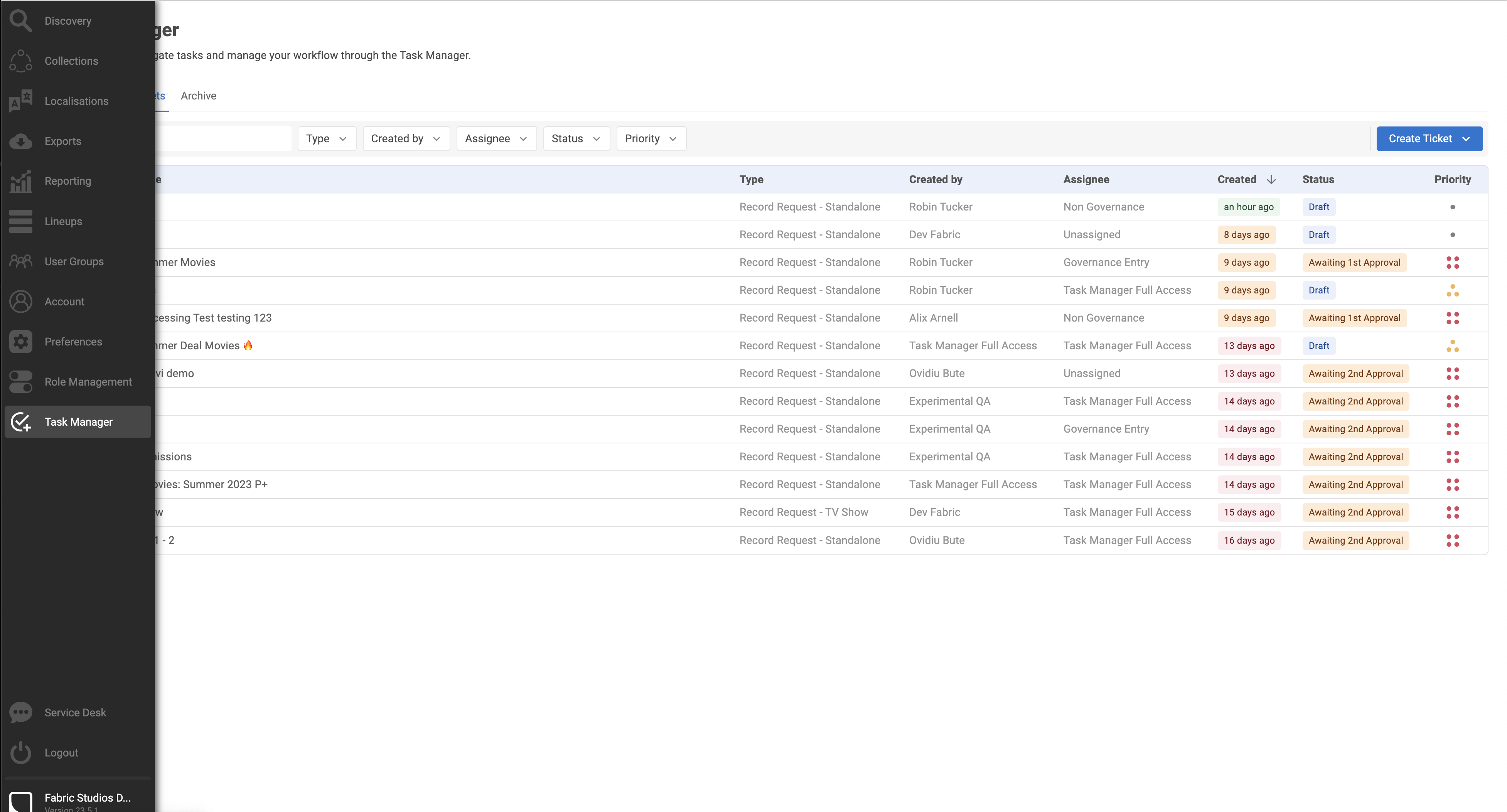
Task Manager can be easily accessed through the navigation bar, providing a dedicated destination for users to interact with the feature.

<figure><img src="https://files.gitbook.com/v0/b/gitbook-x-prod.appspot.com/o/spaces%2FQRUB7DId22okYgZUIO7o%2Fuploads%2Ft8xa4DiJuZfkJXIOJzeb%2FScreenshot_2023-06-15_at_11.13.34.png?alt=media&#x26;token=35af4b15-1c94-46f3-94f9-fbe8df3361a2" alt=""><figcaption><p>Task Manager destination in the Navigation bar​</p></figcaption></figure>

{% hint style="info" %}
The Task Manager destination home screen might take a little while to load, but this only happens when you open the feature for the first time. The application takes a few seconds to fetch information about its users, tickets, and records associated to them.&#x20;
{% endhint %}

## 🗂️ Tab-based Navigation <a href="#tab-based-navigation" id="tab-based-navigation"></a>

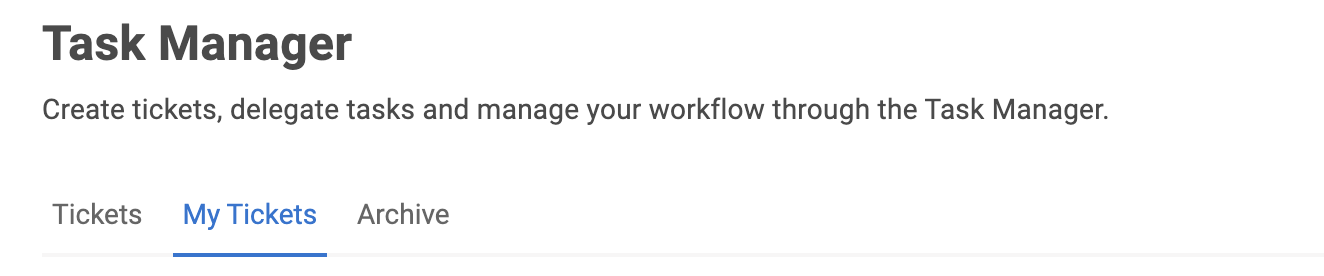
Task Manager adopts a tab-based navigation system, similar to our Discovery tabs, offering a seamless switching between different sections. The tabs include Tickets, My Tickets, and Archive.​

<figure><img src="https://files.gitbook.com/v0/b/gitbook-x-prod.appspot.com/o/spaces%2FQRUB7DId22okYgZUIO7o%2Fuploads%2FNlkIjMB00KmItzPScjrS%2FScreenshot_2023-06-15_at_11.14.42.png?alt=media&#x26;token=42808069-0ab2-4610-a4cb-fa0945626c34" alt=""><figcaption><p>Tab-based Navigation</p></figcaption></figure>

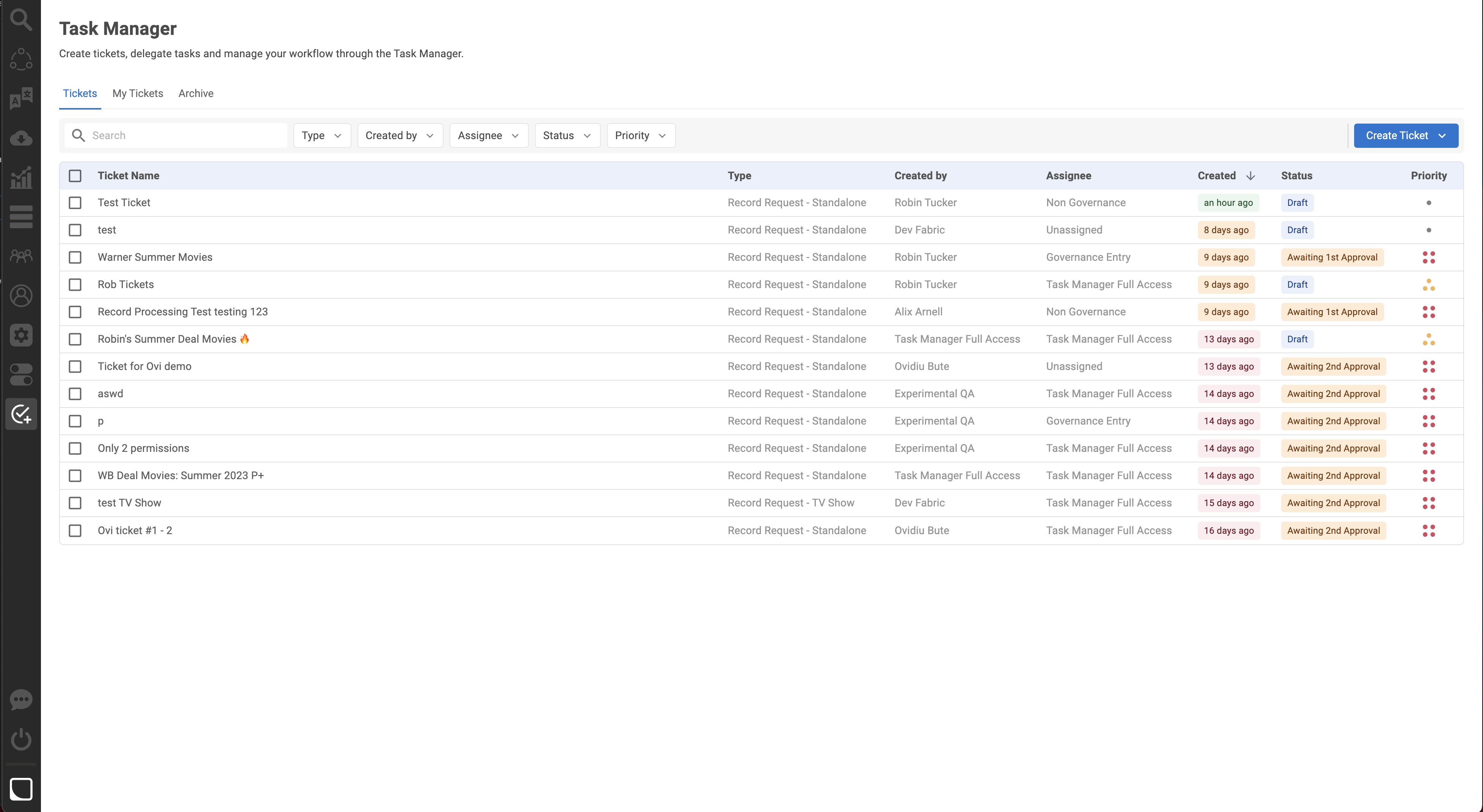
### 🗂️ Tickets Tab <a href="#tickets-tab" id="tickets-tab"></a>

The Tickets tab presents a comprehensive view of all tickets created by users with Task Manager permissions.​

<figure><img src="https://files.gitbook.com/v0/b/gitbook-x-prod.appspot.com/o/spaces%2FQRUB7DId22okYgZUIO7o%2Fuploads%2FMmSvfJXi1JdpidUyFNDE%2FScreenshot_2023-06-15_at_11.16.24.png?alt=media&#x26;token=acd5df94-53d1-412c-9ebe-ffea59a6055c" alt=""><figcaption><p>Tickets Tab</p></figcaption></figure>

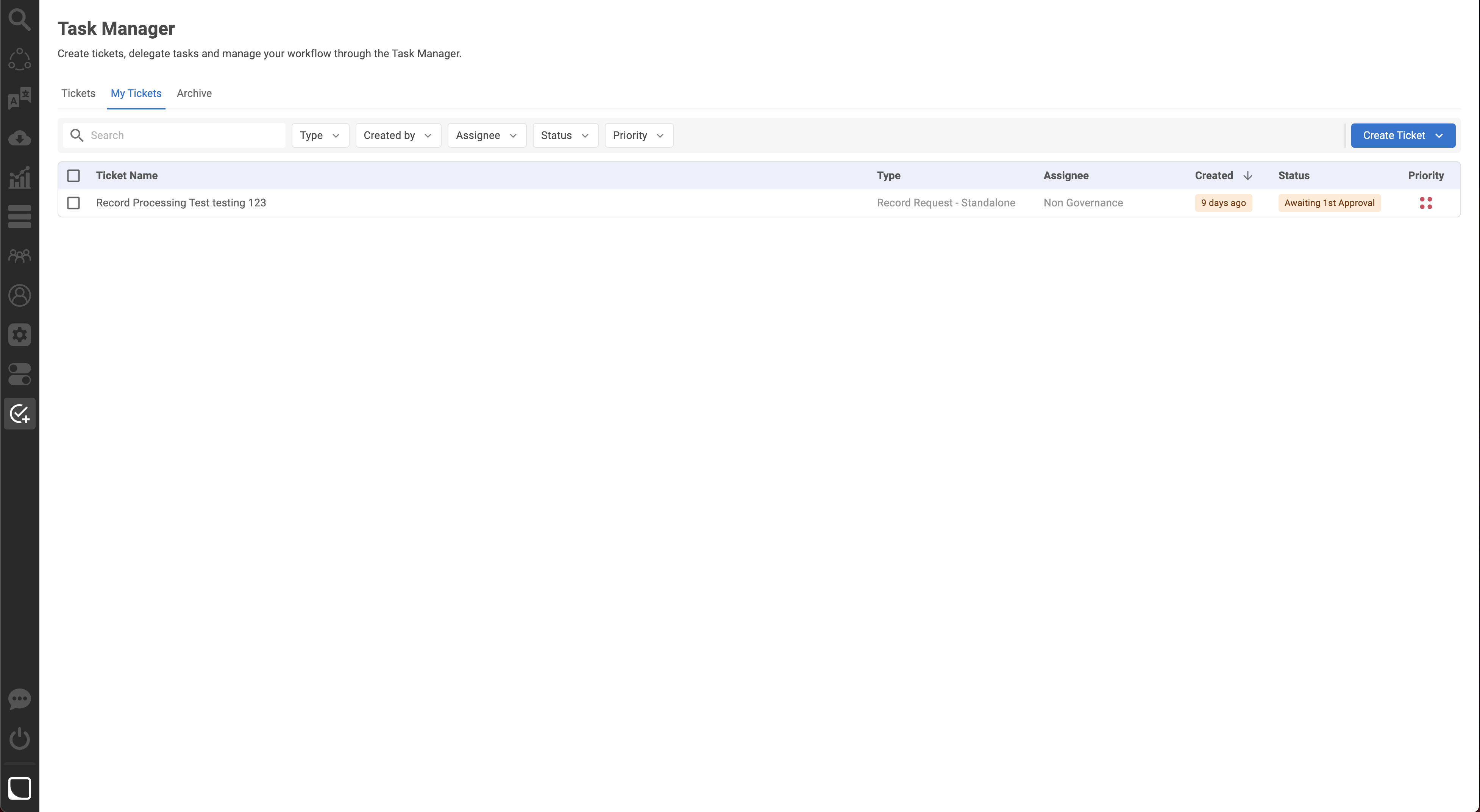
### 🗂️ My Tickets Tab <a href="#my-tickets-tab" id="my-tickets-tab"></a>

The My Tickets tab displays tickets that are specifically created by or assigned to the current user.

<figure><img src="https://files.gitbook.com/v0/b/gitbook-x-prod.appspot.com/o/spaces%2FQRUB7DId22okYgZUIO7o%2Fuploads%2FrVOIiGuBE3DreYUtrC9L%2FScreenshot_2023-06-15_at_11.17.44.png?alt=media&#x26;token=10f75ef1-0afc-44a7-a337-2e3870884f89" alt=""><figcaption><p>My Tickets Tab​</p></figcaption></figure>

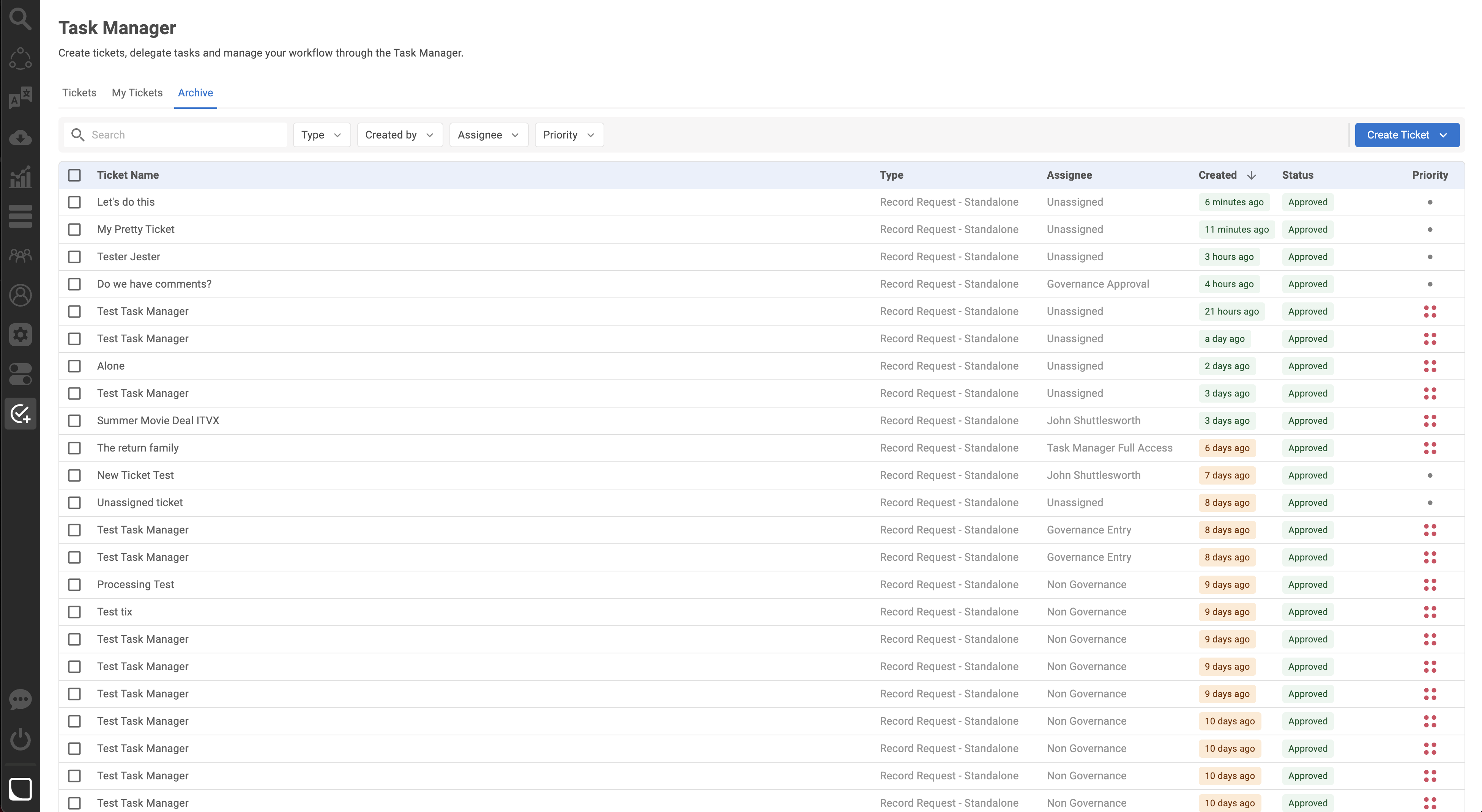
### 🗂️ Archive Tab <a href="#archive-tab" id="archive-tab"></a>

The Archive tab showcases tickets that have been approved, with the associated records already present in the Fabric catalog.​

<figure><img src="https://files.gitbook.com/v0/b/gitbook-x-prod.appspot.com/o/spaces%2FQRUB7DId22okYgZUIO7o%2Fuploads%2F9hTjen8vGMmHln3prBhd%2FScreenshot_2023-06-15_at_11.20.48.png?alt=media&#x26;token=b37f9710-48ab-40d4-aee4-2c670e678d51" alt=""><figcaption><p>Archive Tab</p></figcaption></figure>

## 🔍 Ticket Filtering <a href="#ticket-filtering" id="ticket-filtering"></a>

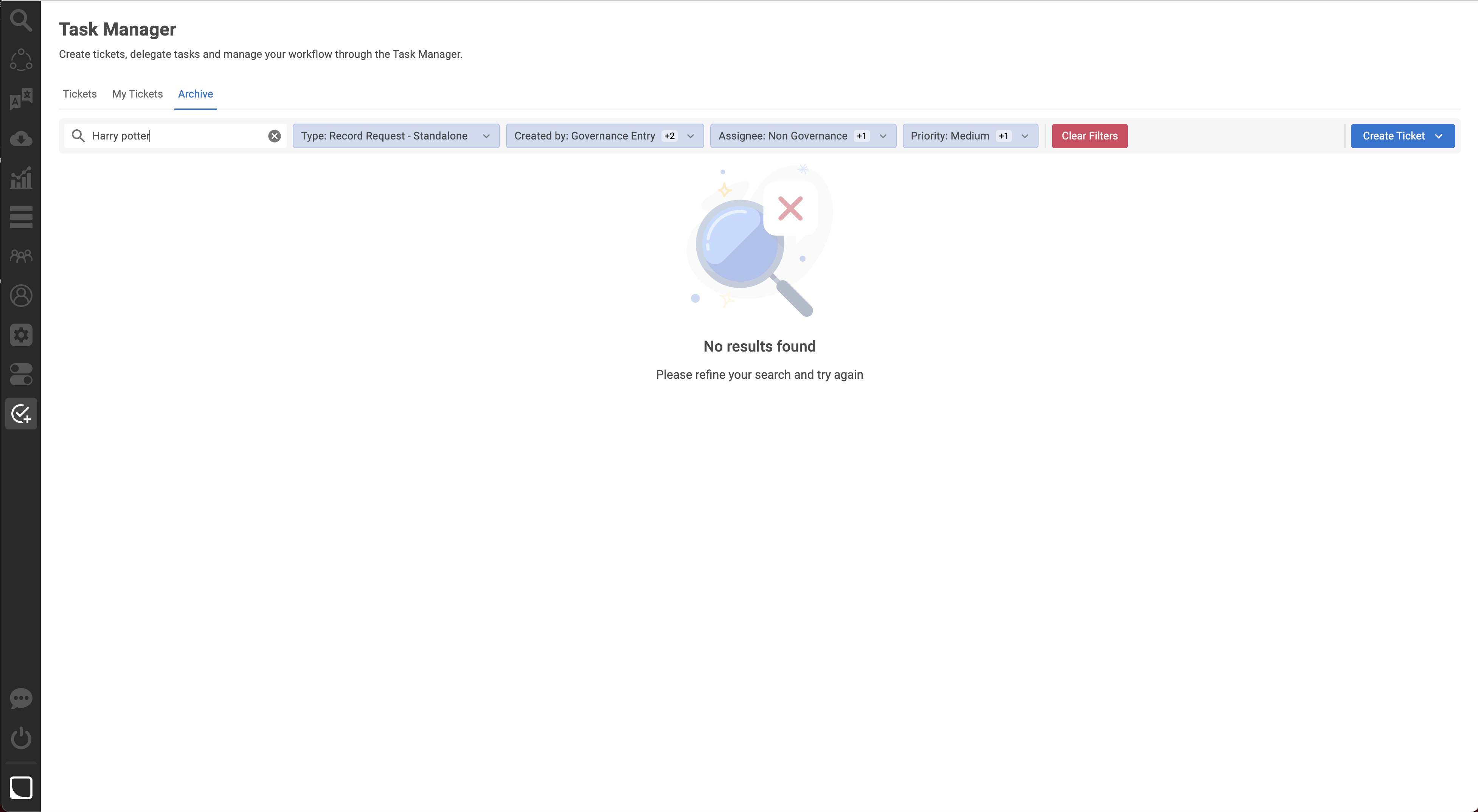
Task Manager facilitates efficient ticket filtering through various parameters. Users can apply filters based on Ticket Type, Created by, Assignee, Status, and Priority, enabling quick access to specific tickets.

<figure><img src="https://files.gitbook.com/v0/b/gitbook-x-prod.appspot.com/o/spaces%2FQRUB7DId22okYgZUIO7o%2Fuploads%2F1czToX2BNeakripVhX8s%2FScreenshot_2023-06-15_at_11.24.13.png?alt=media&#x26;token=5b418a59-2c2b-4688-ad33-9a6308b6d27c" alt=""><figcaption><p>Ticket Filters​</p></figcaption></figure>

You can also search by Ticket ID using the new advanced search filter on the Ticket ID Column!

<figure><img src="https://1453363788-files.gitbook.io/~/files/v0/b/gitbook-x-prod.appspot.com/o/spaces%2FPS7xvtVOuEwjKjl1m1Xs%2Fuploads%2FNAwHRjyUJl3W6KA1mMZo%2FScreenshot%202023-08-24%20at%2013.27.03%20(1).png?alt=media&amp;token=356cbc76-460f-4c7f-ae91-47b7c507553d" alt=""><figcaption><p>Search by Ticket ID</p></figcaption></figure>

&#x20;

## ⬆️ Bulk Ticket Updates

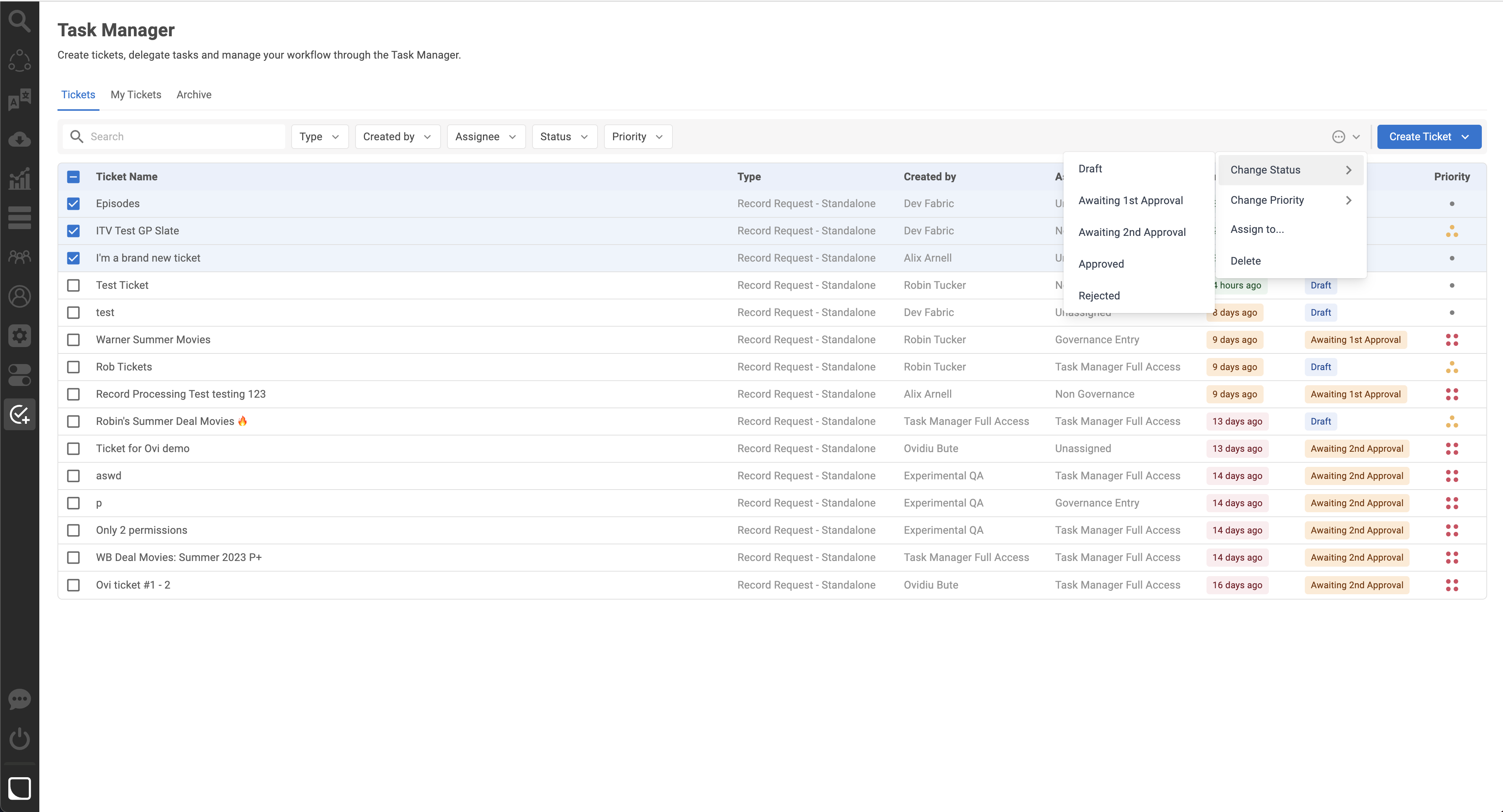
Task Manager streamlines the management of multiple tickets by allowing users to perform bulk updates. Using the Actions Icon, users can efficiently change the status, update priority, assign tickets to specific users in bulk, or delete multiple tickets simultaneously.

<figure><img src="https://files.gitbook.com/v0/b/gitbook-x-prod.appspot.com/o/spaces%2FQRUB7DId22okYgZUIO7o%2Fuploads%2FR42skduQJlUj5bW388tR%2FScreenshot_2023-06-15_at_14.29.54.png?alt=media&#x26;token=1dff8674-4f58-4565-a6b0-f4c830592a66" alt=""><figcaption><p>Bulk Actions</p></figcaption></figure>

## 🎟️ Tickets <a href="#tickets" id="tickets"></a>

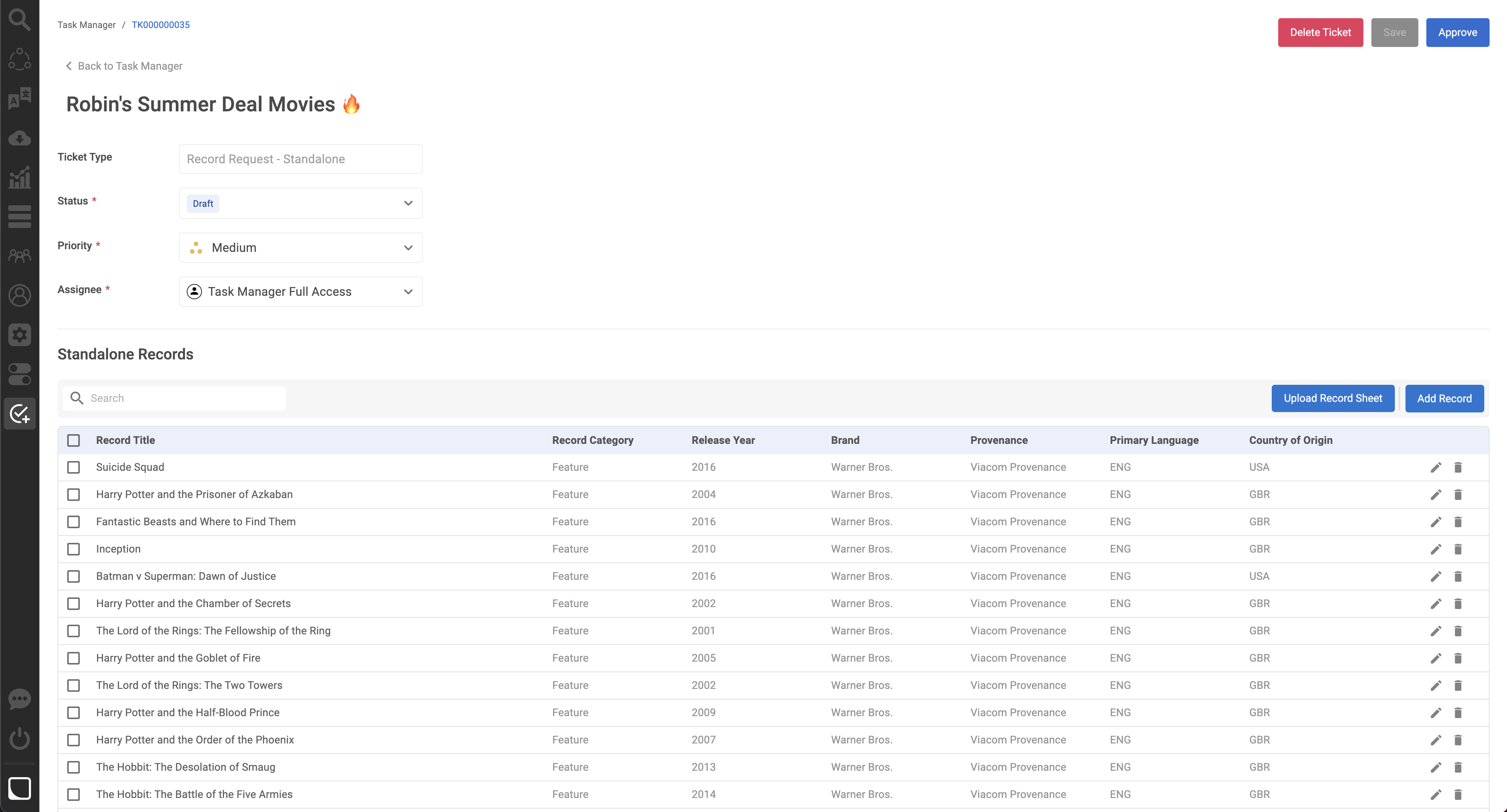
In Task Manager, a ticket is a container that holds records and represents a specific task or request. It serves as a centralized entity for managing and governing records in the Fabric entertainment catalog. Task Manager offers two ticket types: *Standalone* and *TV Show*. Tickets in Task Manager serve as a central point for tracking the progress and workflow of governing records, allowing for streamlined collaboration and efficient record management within the Fabric catalog.

<figure><img src="https://files.gitbook.com/v0/b/gitbook-x-prod.appspot.com/o/spaces%2FQRUB7DId22okYgZUIO7o%2Fuploads%2FrF011uZFyoU18CrWLVHb%2FScreenshot_2023-06-15_at_14.36.55.png?alt=media&#x26;token=e6bc8a5d-11b2-4f3d-92d4-bdc94103e30f" alt=""><figcaption><p>Standalone Ticket</p></figcaption></figure>

{% hint style="info" %}
It might take a few seconds for a ticket to load. Give the the bulk uploader plugin a couple of seconds to get ready for action, and you'll see all the data appear!
{% endhint %}

### Ticket Sections

#### Ticket Details

In this section you will find the Ticket Name, its Type, Status, Priority and Assignee. A quick glance at this section of the ticket will give you an idea of where it is in the workflow, and these attributes can also be used for filtering the home screen to get all relevant tickets in view :relaxed:

<figure><img src="https://1453363788-files.gitbook.io/~/files/v0/b/gitbook-x-prod.appspot.com/o/spaces%2FPS7xvtVOuEwjKjl1m1Xs%2Fuploads%2F4nnovlTC9sFUO171JVZ5%2Fspaces_QRUB7DId22okYgZUIO7o_uploads_kT4BSTUa5qAF3SNviyEg_Screenshot%202023-08-07%20at%2014.webp?alt=media&amp;token=615d94a9-4b3b-4a57-9efc-b999f030f3b5" alt=""><figcaption><p>Ticket Details</p></figcaption></figure>

#### Ticket Record Table&#x20;

This section contains the Records that have been added to that ticket. Scroll through the table to review all the values and use the Edit and Delete actions to quickly amend your work. Use the blue buttons to upload records in bulk or via the User Interface Forms!

<figure><img src="https://1453363788-files.gitbook.io/~/files/v0/b/gitbook-x-prod.appspot.com/o/spaces%2FPS7xvtVOuEwjKjl1m1Xs%2Fuploads%2FGaVfM5VAcjBNC82M4aM4%2FScreenshot%202023-08-07%20at%2014.48.22.png?alt=media&amp;token=0ce39d8f-f399-405c-a572-dbd5f2930812" alt=""><figcaption><p>Ticket Record Table</p></figcaption></figure>

#### Ticket Record Table - Task Manager 2.0

This section contains the Records that have been added to that ticket. Scroll through the table to review & **edit** all the values. Use the Add/Delete/Inherit actions to quickly amend your work and deal with records. Use the blue buttons to upload records in bulk or via the User Interface!

<figure><img src="https://1453363788-files.gitbook.io/~/files/v0/b/gitbook-x-prod.appspot.com/o/spaces%2FPS7xvtVOuEwjKjl1m1Xs%2Fuploads%2FbzT2YzzRMU5yMEWmDz6g%2FScreenshot%202025-11-26%20at%2017.10.51.png?alt=media&amp;token=826538fb-f56c-405c-8418-c7f3dbbeb780" alt=""><figcaption></figcaption></figure>

#### Attachments

You can use this Ticket Section to upload files (Excel, PDF, Word, EML, MSG and CSV are supported!). It helps give more context and information within Task Manager, and can be used to store a copy of the file to use the Bulk Upload functionality.&#x20;

<figure><img src="https://1453363788-files.gitbook.io/~/files/v0/b/gitbook-x-prod.appspot.com/o/spaces%2FPS7xvtVOuEwjKjl1m1Xs%2Fuploads%2FaRuobUUSlTupWlVBRv9f%2FScreenshot%202023-10-18%20at%2012.03.03.png?alt=media&amp;token=bb718bf0-889f-4ba2-8ab7-09819f677c59" alt=""><figcaption><p>Ticket Attachments</p></figcaption></figure>

{% hint style="success" %}
New:tada:: Task Manager now also supports .eml and .msg file formats!
{% endhint %}

{% hint style="info" %}
Please note: The attachments section will only appear after you have saved the Record Update Request Ticket for the first time.&#x20;
{% endhint %}

#### Ticket Activity

At the bottom of each ticket, you can find the Activity section. It has two tabs: Comments and History. The comments section will display all comments logged against the Ticket, and the History tab is where you can find the detailed activity log for the ticket from the point it got created.

<figure><img src="https://1453363788-files.gitbook.io/~/files/v0/b/gitbook-x-prod.appspot.com/o/spaces%2FPS7xvtVOuEwjKjl1m1Xs%2Fuploads%2FNChKYPDNNZ8u9RVtZ0NT%2FScreenshot%202023-08-07%20at%2014.55.27.png?alt=media&amp;token=17e2a293-e4c3-4e9a-a1ab-a2db4cd6c328" alt=""><figcaption><p>Ticket Activity</p></figcaption></figure>

***

<details>

<summary>Related Articles</summary>

[Task Manager Navigation](/fabric-knowledge-base/learn-the-application/destinations/task-manager/tutorials/task-manager-navigation.md)

[Ticket Types](/fabric-knowledge-base/learn-the-application/destinations/task-manager/core-functionality/ticket-types.md)

[Ticket Tutorials](/fabric-knowledge-base/learn-the-application/destinations/task-manager/tutorials/ticket-tutorials.md)

</details>

> We hope you found this article helpful.&#x20;
>
> If you have a technical problem that this article does not address, go to [<mark style="color:blue;">service desk</mark>](/fabric-knowledge-base/support/service-desk.md)<mark style="color:blue;">.</mark>
>
> Help us improve the Fabric Knowledge Base by giving feedback here: [FKB Feedback Form](/fabric-knowledge-base/feedback/fkb-feedback-form.md)